1977
Elle S01
1977
letsdoeit plus 23
3D full SBS
silo 2160p dv
solar opposites s04e07
the late show with stephen colbert s01
UHD 7.1 x265-E
video dea
footage
nobody knows
1977
goo goo dolls love
columbo-s05
star trek tng s02
star trek the next generation s02
Grand.Theft.Auto.IV.Complete.Edition
assassins creed 2
man to man s01e15
▲
ChapterForge v1.0.23.1 Pre-Cracked {CracksHash}
seeders: 7
leechers: 6
Download Fast Safe Anonymous
movies, software, shows...
movies, software, shows...
Files
ChapterForge v1.0.23.1 Pre-Cracked {CracksHash} (Size: 713.7 MB)
| Download Latest Cracks and Apps.url | 102.4 B | ||
| Downloaded from CracksHash.com.txt | 409.6 B | ||
| Instructions!.txt | 409.6 B | ||
| Setup (Patched) | |||
| ChapterForge.exe | 713.7 MB |
Description
Visit for more apps - CracksHash

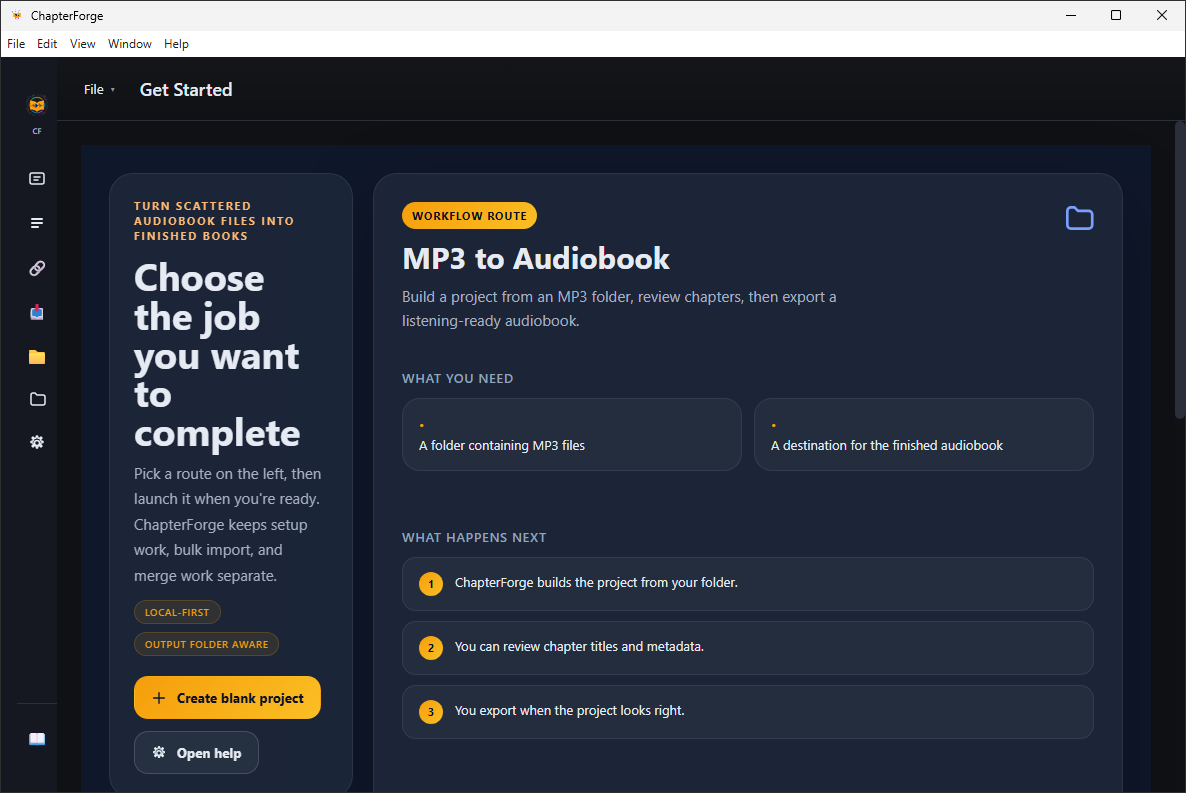
ChapterForge v1.0.23.1 Pre-Cracked {CracksHash}
Create, merge, and clean up chapter-based M4B audiobooks on Windows. ChapterForge is a native audiobook workshop for turning loose audio files into clean, chapter-based M4B audiobooks.
Import a folder of MP3 files, review your chapters, edit metadata, and export a polished M4B with embedded artwork and audiobook-friendly metadata. ChapterForge keeps everything local on your machine — no uploads, no accounts, no cloud processing.
ChapterForge also includes a lossless M4B merge workflow on both Mac and Windows. Combine two or more existing M4B audiobooks into one continuous file without re-encoding the source audio, preserve chapters from every source, and export a single finished book.
For larger libraries, ChapterForge includes batch queueing, saved projects, Smart Auto Import on Windows, and watch folder workflows on Mac so you can scan, monitor, prepare, and process more than one audiobook without starting from scratch every time.
Features :-
Smart Auto Import
Scan audiobook folders in bulk instead of importing one project at a time, automatically load detected books as projects, and feed repeat work into your queue faster.
Lossless M4B Merge
Access from File → Merge M4B Audiobooks. or ⌘⇧M on Mac, and from the sidebar on Windows. Combine any number of existing M4B files without re-encoding a single byte, preserve chapters from every source, and export one seamless merged audiobook.
MP3 Folder to M4B Audiobook
Convert folders of MP3 files into chapter-based M4B audiobooks with embedded metadata, cover art, and configurable output quality.
Metadata Cleanup & Bulk Editing
Automatically extract chapter titles, artwork, and track metadata from source files, then edit title, author, narrator, publisher, language, ISBN, genre, and more. Apply changes across selected or all chapters in one pass.
Chapter Cleanup Tools
Reorder chapters, auto-number titles, add prefixes or suffixes across multiple selections, and run find-and-replace to clean up chapter names faster.
Batch Queue & Priority Control
Queue multiple audiobook jobs, assign priority levels, and let ChapterForge process them automatically while you keep working on other projects.
Cover Art That Carries Through
Use embedded or folder-based artwork from your source files and carry it into the finished M4B so your audiobooks look right in Apple Books and other players.
Project Management
Save your work as projects and return to them later. ChapterForge remembers your metadata edits, chapter order, output settings, and folder locations exactly as you left them.
100% Local Processing
Your files stay on your machine. ChapterForge does not upload audio, require an account, or depend on a cloud conversion service.
Instructions is provided in files

CracksHash always
All Comments