Embedded Linux Step by Step Using Beaglebone Black [8/2026, ENG]
movies, software, shows...
Files
| 1 - Introduction BBB board and SOC | |||
| 1 - About the instructor.html | 697 B | ||
| 10 - Using Minicom.mp4 | 111.71 MB | ||
| 11 - Using Teraterm and Putty.mp4 | 40.86 MB | ||
| 12 - Getting started with BBB and initial Setup.mp4 | 55.71 MB | ||
| 13 - BBB Web interface.mp4 | 223.12 MB | ||
| 2 - Important Note.html | 1.23 KB | ||
| 3 - overview.mp4 | 36.4 MB | ||
| 4 - FAQ.html | 3.51 KB | ||
| 5 - Additional components list.html | 5.59 KB | ||
| 6 - Download Course materials.mp4 | 14.03 MB | ||
| 6 - Download Course materials.txt | 44 B | ||
| 7 - BeagleBone BlackBBB Board Introduction.mp4 | 57.58 MB | ||
| 8 - BeagleBone BlackBBB Board Introduction contd.html | 10.91 KB | ||
| 9 - Connecting BBB to PC using external USB TO UART Converter.html | 1.45 KB | ||
| 10 - Booting BBB Over TFTP protocol | |||
| 53 - TFTP booting Required Setup.html | 264 B | ||
| 54 - TFTP boot - big picture.mp4 | 15.99 MB | ||
| 55 - Preparing TFTP host - tftpd-hpa.txt | 117 B | ||
| 56 - Testing TFTP boot on BBB - uEnv-nfs.txt | 495 B | ||
| 56 - Testing TFTP boot on BBB.mp4 | 199.93 MB | ||
| 57 - Challenge-1.html | 613 B | ||
| 58 - Challenge-2.html | 401 B | ||
| 11 - U-boot | |||
| 59 - Understanding U-boot Source Tree.mp4 | 126.32 MB | ||
| 59 - Understanding U-boot Source Tree.txt | 78 B | ||
| 60 - Cross tool-chain installation.mp4 | 75.35 MB | ||
| 60 - Cross tool-chain installation.txt | 141 B | ||
| 61 - Configuring and generating SPLMLOU-boot images-part1.mp4 | 21.8 MB | ||
| 62 - Configuring and generating SPLMLOU-boot images-part-2.mp4 | 139.16 MB | ||
| 62 - Configuring and generating SPLMLOU-boot images-part-2.txt | 83 B | ||
| 63 - Challenge.html | 524 B | ||
| 12 - Understanding Linux Source Tree | |||
| 64 - Note to Students Important Update on Linux Kernel Version.html | 1.93 KB | ||
| 65 - ARM architecture related code organization.mp4 | 115.57 MB | ||
| 65 - ARM architecture related code organization.txt | 61 B | ||
| 66 - ARM Board configuration files organization.mp4 | 244.68 MB | ||
| 67 - Soc specific driver code organization.mp4 | 29.33 MB | ||
| 68 - Configuring and generating linux image.mp4 | 279.23 MB | ||
| 13 - Busybox minimalist Root file system | |||
| 69 - Busybox introduction.mp4 | 40.35 MB | ||
| 70 - Busybox compilation.mp4 | 184.92 MB | ||
| 71 - Kernel Modules installation.mp4 | 122.94 MB | ||
| 72 - Testing boot images and busybox on BBB-Part-1.mp4 | 104.3 MB | ||
| 73 - Testing boot images and busybox on BBB-Part-2.mp4 | 60.19 MB | ||
| 74 - Understanding busybox init and rcS Script.mp4 | 32.62 MB | ||
| 75 - integrating rcSStartup scripts.mp4 | 132.71 MB | ||
| 76 - Enabling ehternt over usb by driver integration.mp4 | 148.02 MB | ||
| 77 - Auto loading of drivers during system startup.mp4 | 56.33 MB | ||
| 78 - Challenge-1.html | 591 B | ||
| 79 - Challenge-2.html | 586 B | ||
| 14 - Buildroot | |||
| 80 - Buildroot Intro.mp4 | 63.31 MB | ||
| 81 - Exploring buildroot directories and Build commands.mp4 | 108.78 MB | ||
| 82 - Configuring and building Buildroot-Part1.mp4 | 83.14 MB | ||
| 83 - Configuring and building Buildroot-Part2.mp4 | 50.43 MB | ||
| 84 - Testing buildroot RFS and ssh support on BBB.mp4 | 124.23 MB | ||
| 85 - Buildroot Linux and U-boot configurations.mp4 | 164.32 MB | ||
| 86 - Buildroot linux-uboot image generation and testing on BBB.mp4 | 117.45 MB | ||
| 15 - Eclipse setup for BBB | |||
| 87 - Eclipse installation Note.html | 289 B | ||
| 88 - Installing JAVA JDK - Installing+Java+JDK+for+Windows.pdf | 114.64 KB | ||
| 88 - Installing JAVA JDK - JAVA+JDK+Installation+for+Linux+and+MAC.pdf | 482.7 KB | ||
| 88 - Installing JAVA JDK - myjavajdk.sh | 373 B | ||
| 89 - Installing EclipseCross Tool chainbuild tools.mp4 | 63.33 MB | ||
| 90 - Eclipse project creation and build settings.mp4 | 66.66 MB | ||
| 91 - Installing Remote System Explorer and Testing Application.mp4 | 71.1 MB | ||
| 92 - Importing Eclipse Projects.mp4 | 31.74 MB | ||
| 16 - AM335X pin details gpios and SYSFS control | |||
| 100 - Controlling user LEDs using C Application Part 1.mp4 | 165.28 MB | ||
| 101 - Controlling user LEDs using C Application-part2.mp4 | 79.57 MB | ||
| 93 - AM335x GPIO subsystem and expansion header details part 1.mp4 | 288.92 MB | ||
| 94 - AM335x GPIO Subsystem and expansion header details part 2.mp4 | 110.27 MB | ||
| 95 - BBB GPIOs and Mode configuration registers.mp4 | 130.04 MB | ||
| 96 - Exploring Pin details using SYSFS entries -Part-1.mp4 | 260.52 MB | ||
| 97 - Exploring Pin details using SYSFS entries-Part-2.mp4 | 77.75 MB | ||
| 98 - Controlling USER LEDs using SYSFS entries-Part 1.mp4 | 157.67 MB | ||
| 99 - Controlling USER LEDs using SYSFS entries-Part 2.mp4 | 23.04 MB | ||
| 17 - External LED interfacing | |||
| 102 - Interfacing external LED-Part-1.mp4 | 170.93 MB | ||
| 103 - Interfacing external LED-part2.mp4 | 51.22 MB | ||
| 18 - 7 Segment LED interfacing | |||
| 104 - 7-Segment Display basics and Interfacing.mp4 | 54.41 MB | ||
| 105 - 7-Segment Display basics and Interfacing contd.mp4 | 46.49 MB | ||
| 106 - 7segment display up-down counter implementation-1.mp4 | 243.26 MB | ||
| 107 - 7segment display up-down counter implementation-2.mp4 | 89.57 MB | ||
| 108 - Challenge.html | 335 B | ||
| 19 - 4 digit 7 segment LED interfacing | |||
| 109 - 4 digit 7 segment LED Counter implementation.mp4 | 105.36 MB | ||
| 110 - Challenge.html | 428 B | ||
| 2 - Installing Ubuntu-16 on virtual box | |||
| 14 - Using virtual machine.html | 167 B | ||
| 15 - Installing Ubuntu-16 on virtual box -Part 1.mp4 | 139.1 MB | ||
| 15 - Installing Ubuntu-16 on virtual box -Part 1.txt | 41 B | ||
| 16 - Installing Ubuntu-16 on virtual box -Part 2.mp4 | 39.44 MB | ||
| 17 - communicating with BBB.mp4 | 104.11 MB | ||
| 20 - MPU6050 Interfacing and Tilt sensing application | |||
| 111 - Why Accelerometers are used.mp4 | 29.24 MB | ||
| 112 - Why Gyroscope sensors are used.mp4 | 38.99 MB | ||
| 113 - MPU6050 Introduction.mp4 | 79.25 MB | ||
| 114 - Understanding MPU6050 ACC full scale range.mp4 | 52.34 MB | ||
| 115 - converting raw Acc value in to g values.mp4 | 14.67 MB | ||
| 116 - Understanding MPU6050 Gyro Full Scale range.mp4 | 23.92 MB | ||
| 117 - MPU6050 breakout board details.mp4 | 50.26 MB | ||
| 118 - Deciding BBB I2C pins for sensor interfacing.mp4 | 99.63 MB | ||
| 119 - MPU6050 Raw read Source code explanation-Part1.mp4 | 288.43 MB | ||
| 120 - MPU6050 Raw read Source code explanation-Part2.mp4 | 86.27 MB | ||
| 121 - Testing MPU6050 Raw read application on BBB.mp4 | 163.29 MB | ||
| 122 - Measuring Tilt Angle of the object part 1.mp4 | 180.45 MB | ||
| 123 - Measuring Tilt angle of the object Part 2.mp4 | 93.4 MB | ||
| 21 - 16x2 LCD interfacing | |||
| 124 - LCD Introduction.mp4 | 10.24 MB | ||
| 125 - 16x2 LCD pin details.mp4 | 42.25 MB | ||
| 126 - HD44780 LCD controller Internal Details.mp4 | 62.12 MB | ||
| 127 - Understanding DDRAM CGRAMCGROM.mp4 | 30.85 MB | ||
| 128 - Understanding LCD command sets -Part1.mp4 | 307.29 MB | ||
| 129 - Understanding LCD command sets -Part2.mp4 | 237.62 MB | ||
| 130 - Connecting BBB and LCD.mp4 | 42.88 MB | ||
| 22 - BONUS LECTURE | |||
| 131 - BONUS LECTURE.html | 5.57 KB | ||
| 3 - AM335x Functional block Overview | |||
| 18 - AM335x Functional block Overview Part 1 - BBB_SCH.pdf | 393.49 KB | ||
| 18 - AM335x Functional block Overview Part 1.mp4 | 284.66 MB | ||
| 19 - AM335x Functional block Overview Part 2.mp4 | 182.61 MB | ||
| 4 - Beaglebone Linux booting Process | |||
| 20 - What do we need to successfully boot linux on BBB.mp4 | 21.09 MB | ||
| 21 - BBB boot options.html | 8.58 KB | ||
| 22 - BBB Linux boot sequence discussion ROM and SPL.mp4 | 75.72 MB | ||
| 23 - BBB Linux boot sequence discussion-MLO - SPL job.mp4 | 19.34 MB | ||
| 24 - Why AM335x RBL cannot load the Uboot directly to DDR.html | 1.99 KB | ||
| 25 - Booting RBL and MLO on BBB.mp4 | 60.93 MB | ||
| 25 - Booting RBL and MLO on BBB.txt | 87 B | ||
| 26 - Testing MLO image on BBB.mp4 | 215.86 MB | ||
| 27 - Testing U-boot image on BBB.mp4 | 43.61 MB | ||
| 28 - BBB Linux boot sequence discussion-uboot.mp4 | 187.03 MB | ||
| 29 - Decoding U-boot Header of uImage Manually.mp4 | 106.33 MB | ||
| 30 - Linux boot sequence discussion-Boot strap loader part 1.mp4 | 129.28 MB | ||
| 30 - Linux boot sequence discussion-Boot strap loader part 1.txt | 31 B | ||
| 31 - linux boot sequence discussion-Boot strap loader-part 2.mp4 | 110.8 MB | ||
| 31 - linux boot sequence discussion-Boot strap loader-part 2.txt | 36 B | ||
| 32 - linux boot sequence discussion - Kernel Entry.mp4 | 78.32 MB | ||
| 33 - Linux boot sequence discussion - launch of INIT.mp4 | 154.65 MB | ||
| 5 - BBB eMMC update | |||
| 34 - eMMC booting- Big picture.mp4 | 16.32 MB | ||
| 35 - eMMC update-Downloading latest OS image.mp4 | 434.38 MB | ||
| 36 - Enabling Internet on BBB.mp4 | 182.69 MB | ||
| 6 - Booting BBB from SD card | |||
| 37 - Booting the BBB via SD card with the latest images.mp4 | 55.09 MB | ||
| 37 - Booting the BBB via SD card with the latest images.txt | 74 B | ||
| 38 - Login in to the BBB.mp4 | 24.06 MB | ||
| 7 - Linux Device Tree | |||
| 39 - Why Linux device tree is introduced.mp4 | 31.98 MB | ||
| 8 - uEnv txt and Initramfs | |||
| 40 - Writing uEnv txt file from scratch part 1.mp4 | 149.36 MB | ||
| 41 - Writing uEnv txt file from scratch part 2.mp4 | 152.72 MB | ||
| 42 - Writing uEnv txt file from scratch part 3.mp4 | 125.19 MB | ||
| 43 - Writing uEnv txt file from scratch part 4.mp4 | 55.6 MB | ||
| 44 - Writing uEnv txt file from scratch part 5.mp4 | 111.19 MB | ||
| 45 - Challenge.html | 356 B | ||
| 46 - About RFS.html | 19.58 KB | ||
| 47 - Generating initramfs using RFS - am335x_tiny_filesystem.zip | 3.2 MB | ||
| 9 - Booting BBB over Serial Port | |||
| 48 - Serial booting Required Setup.html | 291 B | ||
| 49 - Serial boot - big picture.mp4 | 107.37 MB | ||
| 50 - Important Note.html | 407 B | ||
| 51 - Testing Serial boot part 1.mp4 | 75.01 MB | ||
| 52 - Testing Serial boot part 2.mp4 | 128.6 MB | ||
| ▲ 145 total files | |||
Description
Обучающие видео » Компьютерные видеоуроки и обучающие интерактивные DVD » ОС и программы семейства UNIX
Embedded Linux Step by Step Using Beaglebone Black
Год выпуска: 8/2026
Производитель: Udemy
Сайт производителя: https://www.udemy.com/course/embedded-linux-step-by-step-using-beaglebone/
Автор: FastBit Embedded Brain Academy, Kiran Nayak
Продолжительность: 15h 17m
Тип раздаваемого материала: Видеоурок
Язык: Английский
Описание: This is a comprehensive, practical, 100% hands-on course on learning Embedded Linux systems using BeagleBone hardware, designed for audiences from beginner to advanced. It demystifies Embedded Linux by having you run and work with its various components directly on real hardware, with step-by-step explanations and interesting hardware interfacing projects that also cover the inner working details. You will develop C applications using the Eclipse IDE for your BeagleBone, reinforcing each section with exciting assignments that deepen your understanding, Embedded Linux quizzes to test your knowledge, and Q&A support throughout.
[spoiler="Содержание"]
1 - Introduction BBB board and SOC
3 - overview (08:14)
6 - Download Course materials (03:24)
7 - BeagleBone BlackBBB Board Introduction (04:34)
10 - Using Minicom (10:12)
11 - Using Teraterm and Putty (06:37)
12 - Getting started with BBB and initial Setup (04:41)
13 - BBB Web interface (10:18)
2 - Installing Ubuntu-16 on virtual box
15 - Installing Ubuntu-16 on virtual box -Part 1 (08:47)
16 - Installing Ubuntu-16 on virtual box -Part 2 (07:21)
17 - communicating with BBB (09:40)
3 - AM335x Functional block Overview
18 - AM335x Functional block Overview Part 1 (17:56)
19 - AM335x Functional block Overview Part 2 (09:51)
4 - Beaglebone Linux booting Process
20 - What do we need to successfully boot linux on BBB (04:53)
22 - BBB Linux boot sequence discussion ROM and SPL (09:26)
23 - BBB Linux boot sequence discussion-MLO - SPL job (06:09)
25 - Booting RBL and MLO on BBB (04:56)
26 - Testing MLO image on BBB (12:11)
27 - Testing U-boot image on BBB (02:50)
28 - BBB Linux boot sequence discussion-uboot (17:46)
29 - Decoding U-boot Header of uImage Manually (08:54)
30 - Linux boot sequence discussion-Boot strap loader part 1 (09:37)
31 - linux boot sequence discussion-Boot strap loader-part 2 (09:20)
32 - linux boot sequence discussion - Kernel Entry (04:39)
33 - Linux boot sequence discussion - launch of INIT (09:04)
5 - BBB eMMC update
34 - eMMC booting- Big picture (05:11)
35 - eMMC update-Downloading latest OS image (17:41)
36 - Enabling Internet on BBB (14:37)
6 - Booting BBB from SD card
37 - Booting the BBB via SD card with the latest images (05:31)
38 - Login in to the BBB (01:32)
7 - Linux Device Tree
39 - Why Linux device tree is introduced (09:27)
8 - uEnv txt and Initramfs
40 - Writing uEnv txt file from scratch part 1 (10:45)
41 - Writing uEnv txt file from scratch part 2 (08:36)
42 - Writing uEnv txt file from scratch part 3 (11:41)
43 - Writing uEnv txt file from scratch part 4 (04:52)
44 - Writing uEnv txt file from scratch part 5 (10:46)
9 - Booting BBB over Serial Port
49 - Serial boot - big picture (12:53)
51 - Testing Serial boot part 1 (09:19)
52 - Testing Serial boot part 2 (09:31)
10 - Booting BBB Over TFTP protocol
54 - TFTP boot - big picture (04:58)
56 - Testing TFTP boot on BBB (15:25)
11 - U-boot
59 - Understanding U-boot Source Tree (08:28)
60 - Cross tool-chain installation (06:41)
61 - Configuring and generating SPLMLOU-boot images-part1 (02:29)
62 - Configuring and generating SPLMLOU-boot images-part-2 (08:43)
12 - Understanding Linux Source Tree
65 - ARM architecture related code organization (10:36)
66 - ARM Board configuration files organization (15:20)
67 - Soc specific driver code organization (04:57)
68 - Configuring and generating linux image (17:38)
13 - Busybox minimalist Root file system
69 - Busybox introduction (05:11)
70 - Busybox compilation (11:04)
71 - Kernel Modules installation (09:50)
72 - Testing boot images and busybox on BBB-Part-1 (13:38)
73 - Testing boot images and busybox on BBB-Part-2 (11:18)
74 - Understanding busybox init and rcS Script (04:17)
75 - integrating rcSStartup scripts (11:52)
76 - Enabling ehternt over usb by driver integration (09:48)
77 - Auto loading of drivers during system startup (09:31)
14 - Buildroot
80 - Buildroot Intro (04:33)
81 - Exploring buildroot directories and Build commands (06:53)
82 - Configuring and building Buildroot-Part1 (06:35)
83 - Configuring and building Buildroot-Part2 (06:48)
84 - Testing buildroot RFS and ssh support on BBB (08:15)
85 - Buildroot Linux and U-boot configurations (11:03)
86 - Buildroot linux-uboot image generation and testing on BBB (06:40)
15 - Eclipse setup for BBB
89 - Installing EclipseCross Tool chainbuild tools (08:28)
90 - Eclipse project creation and build settings (05:23)
91 - Installing Remote System Explorer and Testing Application (09:27)
92 - Importing Eclipse Projects (05:18)
16 - AM335X pin details gpios and SYSFS control
93 - AM335x GPIO subsystem and expansion header details part 1 (14:50)
94 - AM335x GPIO Subsystem and expansion header details part 2 (06:13)
95 - BBB GPIOs and Mode configuration registers (08:18)
96 - Exploring Pin details using SYSFS entries -Part-1 (11:58)
97 - Exploring Pin details using SYSFS entries-Part-2 (06:27)
98 - Controlling USER LEDs using SYSFS entries-Part 1 (11:00)
99 - Controlling USER LEDs using SYSFS entries-Part 2 (03:50)
100 - Controlling user LEDs using C Application Part 1 (13:39)
101 - Controlling user LEDs using C Application-part2 (06:10)
17 - External LED interfacing
102 - Interfacing external LED-Part-1 (08:57)
103 - Interfacing external LED-part2 (13:09)
18 - 7 Segment LED interfacing
104 - 7-Segment Display basics and Interfacing (08:58)
105 - 7-Segment Display basics and Interfacing contd (08:26)
106 - 7segment display up-down counter implementation-1 (16:50)
107 - 7segment display up-down counter implementation-2 (06:32)
19 - 4 digit 7 segment LED interfacing
109 - 4 digit 7 segment LED Counter implementation (11:20)
20 - MPU6050 Interfacing and Tilt sensing application
111 - Why Accelerometers are used (08:31)
112 - Why Gyroscope sensors are used (06:57)
113 - MPU6050 Introduction (05:11)
114 - Understanding MPU6050 ACC full scale range (07:57)
115 - converting raw Acc value in to g values (02:11)
116 - Understanding MPU6050 Gyro Full Scale range (04:09)
117 - MPU6050 breakout board details (04:07)
118 - Deciding BBB I2C pins for sensor interfacing (07:51)
119 - MPU6050 Raw read Source code explanation-Part1 (18:36)
120 - MPU6050 Raw read Source code explanation-Part2 (10:31)
121 - Testing MPU6050 Raw read application on BBB (08:55)
122 - Measuring Tilt Angle of the object part 1 (09:24)
123 - Measuring Tilt angle of the object Part 2 (08:02)
21 - 16x2 LCD interfacing
124 - LCD Introduction (02:28)
125 - 16x2 LCD pin details (12:28)
126 - HD44780 LCD controller Internal Details (04:23)
127 - Understanding DDRAM CGRAMCGROM (09:29)
128 - Understanding LCD command sets -Part1 (17:16)
129 - Understanding LCD command sets -Part2 (12:48)
130 - Connecting BBB and LCD (03:51)
[/spoiler]
Файлы примеров: не предусмотрены
Формат видео: MP4
Видео: AVC, 1920x1080, 16:9, 30fps, 1094kbps
Аудио: AAC, 44.1Hz, 62.8kbps, stereo
[spoiler="Скриншоты"]
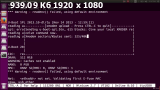
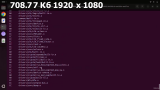
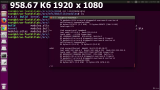
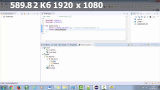
[/spoiler]
Related Torrents
| torrent name | size | uploader | age | seed | leech |
|---|---|---|---|---|---|
| 1.6 GB | freecoursewb | 4 months | 9 | 1 | |
| 2.44 GB | LearnJavaScript Beggom | 1 year | 8 | 0 | |
| 1.1 GB | freecoursewb | 2 years | 3 | 1 | |
| 605.1 MB | freecoursewb | 2 years | 4 | 2 | |
| 9.3 GB | tutsnode | 3 years | 2 | 4 |
All Comments