Embedded USB Programming on STM32: Build Real USB Devices [8/2026, ENG]
movies, software, shows...
Files
| 1 - USB from Scratch What and Why | |||
| 1. Introduction.mp4 | 46.06 MB | ||
| 2. What is USB and why it took over.mp4 | 64.97 MB | ||
| 3. USB versions, speeds, and connectors what is the difference.mp4 | 87.81 MB | ||
| 4. The host-controls-everything model and why it matters.mp4 | 71.76 MB | ||
| 5. How to navigate the USB documents without getting lost.mp4 | 80.96 MB | ||
| 2 - USB Physical and Electrical Layer | |||
| 10. J state, K state, SE0, reset, and end of packet.mp4 | 53.88 MB | ||
| 11. VBUS power and current limits.mp4 | 97.85 MB | ||
| 12. Self-powered vs bus-powered devices.mp4 | 81.92 MB | ||
| 13. USB clock accuracy and what happens when it is wrong.mp4 | 94.26 MB | ||
| 6. DP and DM how USB sends a single bit on two wires.mp4 | 68.92 MB | ||
| 7. USB connectors and cables Type-A, Type-B, Type-C, micro, mini.mp4 | 89.74 MB | ||
| 8. NRZI encoding, bit stuffing, and the sync field.mp4 | 100.09 MB | ||
| 9. The pull-up trick how the host knows your device's speed.mp4 | 89.77 MB | ||
| 3 - USB Protocol Concepts | |||
| 14. USB topology the tiered star (host, root hub, tiers, upstream downstream ports,.mp4 | 61.91 MB | ||
| 15. See the topology on your own machine — hubs, the device tree, and the 127-addres.mp4 | 67.55 MB | ||
| 16. The four transfer types and when each is used.mp4 | 87.81 MB | ||
| 17. Packet, transaction, transfer, frame what contains what.mp4 | 55.79 MB | ||
| 18. USB packet types Token, Data, Handshake.mp4 | 107.7 MB | ||
| 19. Capture real USB traffic on your own machine (Wireshark + USBPcap).mp4 | 107.29 MB | ||
| 20. Endpoints and pipes the channels inside a USB device.mp4 | 96.2 MB | ||
| 21. Descriptors at a glance the device's passport.mp4 | 97.76 MB | ||
| 4 - Enumeration, Descriptors, and First Detection | |||
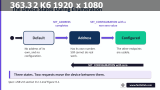
| 22. The enumeration handshake what happens in the first 100 ms.mp4 | 79.91 MB | ||
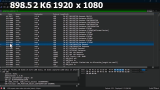
| 23. Reading the enumeration handshake in Wireshark.mp4 | 73.93 MB |
Description
Обучающие видео » Компьютерные видеоуроки и обучающие интерактивные DVD » Программирование (видеоуроки)
Embedded USB Programming on STM32: Build Real USB Devices
Год выпуска: 8/2026
Производитель: Udemy
Сайт производителя: https://www.udemy.com/course/embedded-usb-programming-on-stm32/
Автор: FastBit Embedded Brain Academy, Kiran Nayak
Продолжительность: 4h 25m
Тип раздаваемого материала: Видеоурок
Язык: Английский
Описание: This course, still under development with new videos added weekly, builds practical USB skills for real embedded product development, addressing why USB is considerably more involved than interfaces like UART, SPI, or I2C. It explains that USB is not simply a peripheral interface but a host-controlled communication protocol with multiple layers—electrical interface, protocol, the microcontroller's USB device controller, descriptors and class-specific descriptors, endpoint configuration, device classes, vendor HAL or low-level drivers, middleware, host OS behavior, and host-side drivers. It systematically addresses common challenges: the extensive specification and difficult terminology, the many interdependent concepts (enumeration, descriptors, configurations, interfaces, endpoints, control/interrupt/bulk/isochronous transfers, device classes, requests, packets, transactions, transfer scheduling), the debugging difficulty where a device compiles and runs but fails to enumerate due to a small descriptor, endpoint, clock, or middleware error, and fragmented learning resources that show vendor-generated code without explaining the protocol.
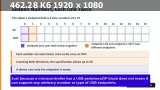
The course begins with USB architecture and protocol before moving to STM32 implementation, answering questions about what USB is, the roles of host and device, why USB is host-controlled, how a device detects and establishes a connection, what happens during enumeration, what information the device provides, what descriptors are, how configurations, interfaces, and endpoints are represented, what the transfer types are, and how the host determines which driver or class handles a device—so the generated firmware can be understood in context. It includes two complete device implementations: a USB HID Mouse introducing HID descriptors, report descriptors, interrupt endpoints, HID reports, host polling, enumeration, mouse movement data, and interaction with the OS's standard HID driver; and a USB Mass Storage Device introducing Mass Storage Class descriptors, bulk endpoints, bulk transfers, host storage requests, middleware, storage abstraction, and host file-system interaction, demonstrating how the same architecture supports very different communication requirements. The capstone extends the HID concepts into a custom HID keyboard with macro keys, requiring you to independently modify the HID configuration, report descriptor, report format, and application behavior.
The course is valuable for engineering students, early-career engineers, and experienced embedded professionals, helping you move beyond basic GPIO, UART, SPI, and I2C projects to real products that communicate with a PC, strengthening practical skills and career opportunities. AI-assisted tools were used during preparation of some slides, notes, and development work, but technical material is reviewed by engineers and scrutinized against the USB specification and expected hardware behavior, with practical projects implemented and tested on target hardware before inclusion—AI is a productivity tool, not the authority for correctness, and students are encouraged to report errors. Students may use development assistants like Claude Code, ChatGPT, or GitHub Copilot if they choose, but the important firmware sections are explained so the implementation can be understood independently. The course uses the FastBit Nano board based on the STM32F303CC microcontroller, though any STM32 board or board from another vendor supporting USB Full-Speed works with minor changes, and uses the free STM32CubeIDE and STM32CubeMX.
[spoiler="Содержание"]
1 - USB from Scratch What and Why
1. Introduction (05:06)
2. What is USB and why it took over (07:54)
3. USB versions, speeds, and connectors what is the difference (16:18)
4. The host-controls-everything model and why it matters (10:58)
5. How to navigate the USB documents without getting lost (08:58)
2 - USB Physical and Electrical Layer
6. DP and DM how USB sends a single bit on two wires (09:15)
7. USB connectors and cables Type-A, Type-B, Type-C, micro, mini (13:35)
8. NRZI encoding, bit stuffing, and the sync field (15:49)
9. The pull-up trick how the host knows your device's speed (13:35)
10. J state, K state, SE0, reset, and end of packet (10:27)
11. VBUS power and current limits (13:13)
12. Self-powered vs bus-powered devices (11:37)
13. USB clock accuracy and what happens when it is wrong (14:02)
3 - USB Protocol Concepts
14. USB topology the tiered star (host, root hub, tiers, upstream downstream ports, (10:44)
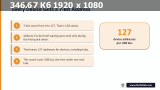
15. See the topology on your own machine — hubs, the device tree, and the 127-addres (08:54)
16. The four transfer types and when each is used (15:41)
17. Packet, transaction, transfer, frame what contains what (09:19)
18. USB packet types Token, Data, Handshake (14:36)
19. Capture real USB traffic on your own machine (Wireshark + USBPcap) (09:38)
20. Endpoints and pipes the channels inside a USB device (11:50)
21. Descriptors at a glance the device's passport (13:23)
4 - Enumeration, Descriptors, and First Detection
22. The enumeration handshake what happens in the first 100 ms (12:47)
23. Reading the enumeration handshake in Wireshark (07:30)
[/spoiler]
Файлы примеров: не предусмотрены
Формат видео: MP4
Видео: AVC, 1920x1080, 16:9, 30fps, 923kbps
Аудио: AAC, 44.1Hz, 128kbps, stereo
[spoiler="Скриншоты"]

[/spoiler]
Related Torrents
| torrent name | size | uploader | age | seed | leech |
|---|---|---|---|---|---|
| 1.8 GB | freecoursewb | 6 days | 14 | 19 |
All Comments