OpenCode Crash Course: Automate Workflow with Free AI Models [9/2026, ENG]
movies, software, shows...
Files
| 1 - Introduction to OpenCode | |||
| 1. What is OpenCode.mp4 | 84.14 MB | ||
| 2. How OpenCode works internally !.mp4 | 7.37 MB | ||
| 3. Agentic Coding vs Traditional Coding.mp4 | 65.52 MB | ||
| 4. OpenCode Free setup.mp4 | 61.29 MB | ||
| 2 - OpenCode Core Workflow Commands, Context , AGENTS.md | |||
| 10. Create AGENTS.md !.mp4 | 204.5 MB | ||
| 5. Built-in slash commands.mp4 | 77.49 MB | ||
| 6. [Live-Demo] Custom slash commands.mp4 | 102.72 MB | ||
| 7. Context window in OpenCode.mp4 | 65.51 MB | ||
| 8. Auto-compaction in OpenCode.mp4 | 62.1 MB | ||
| 9. what AGENTS.md is !.mp4 | 167.44 MB | ||
| 3 - MCP Connect OpenCode to Anything | |||
| 11. What MCP is & why there is a need of MCP !.mp4 | 26.22 MB | ||
| 12. [Hands-on] GitHub MCP Connect your OpenCode to GitHub.mp4 | 25.94 MB | ||
| 13. [Hands-on] MCP- database-server Connect your OpenCode to Database.mp4 | 148.18 MB |
Description
Обучающие видео » Компьютерные видеоуроки и обучающие интерактивные DVD » Machine/Deep Learning, Neural Networks
OpenCode Crash Course: Automate Workflow with Free AI Models
Год выпуска: 9/2026
Производитель: Udemy
Сайт производителя: https://www.udemy.com/course/opencode-course-guide/
Автор: Shan Singh
Продолжительность: 1h 19m
Тип раздаваемого материала: Видеоурок
Язык: Английский
Описание: This crash course teaches OpenCode, the open-source, provider-agnostic, MIT-licensed AI coding agent built for the terminal that can run entirely on free AI models, taking you from installation to a packaged, shareable agent toolkit in under four hours—no paid subscriptions required. It is not about typing prompts and hoping for the best but about building a complete, reproducible automation system: custom slash commands, a project-aware AGENTS md file, MCP connections to GitHub and your database, two production Skills, a custom sub-agent, and your own distributable OpenCode plugin. Every hands-on lesson runs against one real case study—a messy retail sales dataset with duplicate orders, inconsistent date formats, currency-formatted text, and missing regions—which you clean, analyse, and dashboard using agents you build yourself: a Data Cleaning Skill handling real-world defects through rules you write, a Dashboard Creation Skill turning clean data into visual reporting, a Code Reviewer sub-agent that audits your work automatically, and a shareable plugin bundling your skill, agent, and command into one installable package.
You will learn how the OpenCode agentic loop works internally (read, reason, act, verify); free setup using Zen models plus paid configuration in three minutes if desired; Plan mode vs Build mode and why separating reasoning from execution reduces errors; context windows, auto-compaction, and keeping agents on track in long sessions; writing and testing an AGENTS md file so your agent understands your project; MCP from first principles including GitHub, database servers, Context7, and the allow/ask/deny trust model; Skills architecture with YAML front-matter and Markdown body plus installing from the marketplace; sub-agents vs Skills and exactly when to reach for each; and packaging and distributing your work as an OpenCode plugin. The course is for developers, data analysts, and engineers who want agentic coding without a paid subscription, anyone curious about terminal-based AI agents who wants a practical workflow rather than a feature tour, and students, freelancers, and indie builders automating repetitive coding and data work.
[spoiler="Содержание"]
1 - Introduction to OpenCode
1. What is OpenCode (05:13)
2. How OpenCode works internally ! (01:56)
3. Agentic Coding vs Traditional Coding (03:04)
4. OpenCode Free setup (05:22)
2 - OpenCode Core Workflow Commands, Context , AGENTS.md
5. Built-in slash commands (04:43)
6. [Live-Demo] Custom slash commands (05:57)
7. Context window in OpenCode (04:51)
8. Auto-compaction in OpenCode (03:22)
9. what AGENTS.md is ! (07:42)
10. Create AGENTS.md ! (11:45)
3 - MCP Connect OpenCode to Anything
11. What MCP is & why there is a need of MCP ! (08:05)
12. [Hands-on] GitHub MCP Connect your OpenCode to GitHub (07:44)
13. [Hands-on] MCP- database-server Connect your OpenCode to Database (09:08)
[/spoiler]
Файлы примеров: не предусмотрены
Формат видео: MP4
Видео: AVC, 2560x1440, 16:9, 30fps, 2271kbps
Аудио: AAC, 44.1Hz, 128kbps, stereo
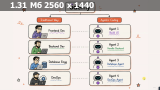
[spoiler="Скриншоты"]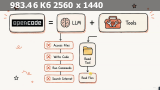
[/spoiler]
All Comments