Sanders W. - Learning Flash Media Server 3 [2008, CHM, ENG]
movies, software, shows...
Files
| Learning.Flash.Media.Server.O'Reilly.3.Mar.2008.chm | 8.71 MB |
Description
Книги и журналы » Компьютерная литература » Веб-дизайн и программирование
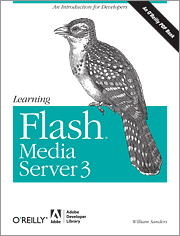
Learning Flash Media Server 3
Год выпуска: 2008
Автор: William Sanders
Издательство: O'Reilly Media / Adobe Dev Library
ISBN: 978-0-596-51590-4
Формат: CHM
Качество: eBook (изначально компьютерное)
Количество страниц: 273
Описание: If you're interested in recording and streaming media using Flash Media Server 3 (FMS3) and Adobe's Real-Time Messaging Protocol, this book is the perfect primer. Web developers familiar with Flash Media Server 2 or Flash Communication Server 1.5 will quickly discover that FMS3 is a different animal. Each chapter in this step-by-step guide focuses on a specific aspect of the server and how to develop FMS3 applications with ActionScript 3.0.
Full Description
If you're interested in recording and streaming media using Flash Media Server 3 (FMS3) and Adobe's Real-Time Messaging Protocol, this unique book is the perfect primer. It is not a reference, but a systematic guide to developing FMS3 applications using ActionScript 3.0, with chapters that focus on specific aspects of the server and how they work.
FMS3 is very different from regular web servers. Because its open-socket server technology stays connected until users quit the application, you can stream audio, video, text, and other media in real time. FMS3 is also quite different from previous versions, a fact that web developers familiar with Flash Media Server 2 or Flash Communication Server 1.5 will quickly discover.
Don't worry. With Learning Flash Media Server 3 and a little experience with Flash CS3 and ActionScript 3.0, anyone can get up to speed in no time. You'll learn how to install FMS3, organize your development environment with Apache web server, and use the management console before diving into the whys and hows of:
* Recording and playing back streaming audio and video in VP6 and H.264 formats
* Using the new Flash Media Encoder to stream and record video
* Camera and microphone settings
* Non-persistent client-side remote shared objects
* Two-way audio-video communications
* Broadcasting and server-side bandwidth control
* Working with server-side files: the file class
* Server-side shared objects
* Server-side streams
* Setting up a software load handler using FMS3's new server-side NetStream
* Bringing in data and working with configuration files
At the heart of every chapter is a core set of code that shows the minimum requirements needed for different procedures. Beyond that, Learning Flash Media Server 3 provides you with plenty of options for using FMS3's different versions -- the full-feature server, the streaming-only server, and the limited-user development server. It's a whole new world of media, and this book puts you right at the doorstep.
[spoiler="Table of Contents"]
Copyright
Chapter 1. Getting Started with Flash Media Server 3
Section 1.1. The New Flavors for Flash Media Server 3
Section 1.2. What Is a Media Server?
Section 1.3. Installing FMS3
Section 1.4. Organizing Your Development Environment
Section 1.5. Testing FMS3 Connections
Section 1.6. Using the FMS3 Administration Console
Section 1.7. Using This Book
Chapter 2. Recording and Playing Back Streaming Audio and Video
Section 2.1. Streaming and Broadcasting
Section 2.2. Minimalist Project
Section 2.3. Combined Record and Playback Application
Chapter 3. Setting Your Camera and Microphone
Section 3.1. Camera and Microphone Methods for Setting Parameters
Section 3.2. Minimalist Project
Section 3.3. Dynamically Testing Your Camera and Microphone Settings
Section 3.4. Key Considerations
Section 3.5. Adjusting Camera and Audio with Flash Media Encoder
Chapter 4. Nonpersistent Client-Side Remote Shared Objects
Section 4.1. Sharing Data on Multiple Connections
Section 4.2. Instantiating Remote Shared Objects
Section 4.3. Minimalist Project for Shared Movie Clip
Section 4.4. Minimalist Project for Shared Text
Section 4.5. Minimalist Project for Shared Function
Section 4.6. An Upgraded Text Chat
Chapter 5. Two-Way Audio-Video Communications
Section 5.1. Face-to-Face Communication
Section 5.2. The NetStream Bundle
Section 5.3. The NetStream Class and Live Streams
Section 5.4. The World's Easiest Two-Way A/V Chat Application
Section 5.5. A Better Two-Way Chat Application
Section 5.6. Four-Way Conference Application
Section 5.7. Moving On to More Server-Side Applications
Chapter 6. Broadcasting and Server-Side Bandwidth Control
Section 6.1. Casting Many Streams
Section 6.2. Switching Cameras
Section 6.3. The Minimum Studio
Section 6.4. Introduction to the Server Side
Section 6.5. Dynamic Camera, Microphone, and Bandwidth Controls
Section 6.6. Bandwidth Checker
Section 6.7. Conclusion
Chapter 7. Working With Server-Side Files: The File Class
Section 7.1. Recording Data
Section 7.2. The File Class
Section 7.3. Client-Side Formatting
Section 7.4. Server-Side Formatting
Section 7.5. Beggar's Database
Chapter 8. Server-Side Shared Objects
Section 8.1. What Are Server-Side Shared Objects?
Section 8.2. Working with Server-Side Shared Objects
Section 8.3. Removing Users
Section 8.4. Persistent Server-Side Shared Object
Section 8.5. The Idea Factory
Chapter 9. Server-Side Streams
Section 9.1. Stream Management
Section 9.2. Anatomy of Stream.play( )
Section 9.3. Playing MP3 Files
Section 9.4. Changing Streams
Section 9.5. Server-Side NetStream Class
Chapter 10. Bringing in Data and Working with Configuration Files
Section 10.1. Cue Points, Metadata, and Stream Completion
Section 10.2. Server-Side LoadVars Class
Section 10.3. Minimalist Example Using Server-Side LoadVars( )
Section 10.4. Server-Side XML Class
Section 10.5. Using the Configuration Files
Section 10.6. Doing More with Flash Media Server 3
[/spoiler]
[spoiler="Скриншоты"]


[/spoiler]
Related Torrents
| torrent name | size | uploader | age | seed | leech |
|---|---|---|---|---|---|
| 153.78 MB | Guest | 5 years | 0 | 0 | |
|
Bernie Sanders and the Boundaries of Reform: Socialism in Burlington by W. J. Conroy PDF Posted by
zakareya in Books
> Non-Fiction
|
18.1 MB | zakareya | 5 years | 4 | 0 |
|
Sanders W. - ActionScript 3.0. Design Patterns [2007, PDF, ENG] Posted by
Sonno Mia in Books
> Non-Fiction
|
3.96 MB | Sonno Mia | 15 years | 4 | 0 |
|
Sahlin D., Sanders W.B. - Flash CS4 All-in-One For Dummies [2008, PDF, ENG] Posted by
Slava_D in Books
> Non-Fiction
|
29.65 MB | Slava_D | 16 years | 5 | 0 |
All Comments